
Secure File Sharing for Law Firms
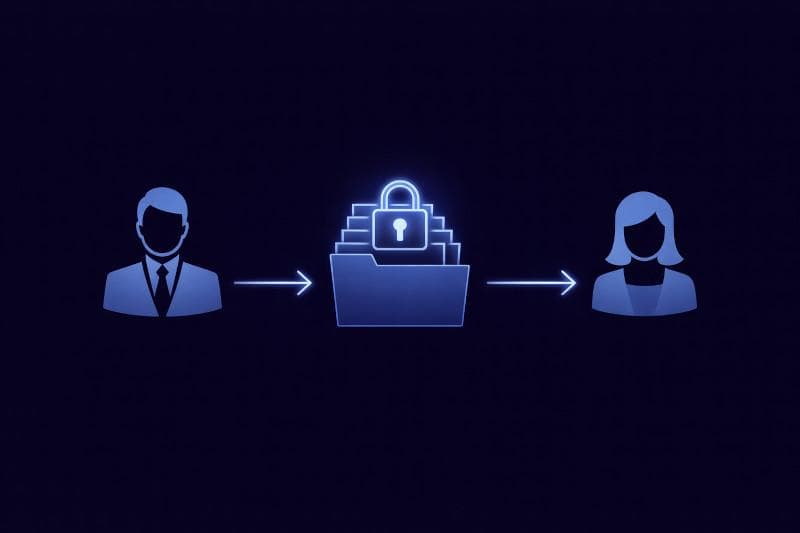
Law firms and legal teams share confidential files every day. Contracts, pleadings, exhibits, witness statements, due diligence documents, investigation materials, and audio or video evidence often need to be shared with clients, co-counsel, experts, regulators, and internal stakeholders. Lexkeep helps legal professionals manage secure file sharing in a way that protects confidentiality, controls access, and keeps file activity easier to track.
Built for legal workflows, Lexkeep supports secure file sharing for law firms, attorneys, and other legal professionals who need more than generic cloud storage or unsecured email attachments. It combines legal file sharing, matter-based organisation, granular permissions, audit logs, and strong encryption in one secure platform.
Legal file sharing built for law firms
Secure file sharing for law firms requires more than sending a link or attaching a document to an email. Legal teams need to know who can access a file, what matter it belongs to, whether access can be revoked, and how file activity can be reviewed later.
Lexkeep is designed for legal file sharing in real legal workflows. Instead of relying on disconnected tools, firms can organise files within secure matter-based workspaces and share them with the right people under controlled permissions.
This helps legal teams:
- share confidential files more securely
- reduce reliance on unsecured email attachments
- keep file access tied to the right matter
- maintain better visibility into file activity
- support more controlled collaboration across legal work
Matter-based file sharing for legal teams
Legal work is organised by matter, not by random folders or broad access links. Lexkeep supports file sharing for legal professionals through matter-based workspaces that keep documents, records, and participants connected to the relevant case, transaction, investigation, or internal matter.
This makes it easier to:
- organise legal files by matter
- separate access across different matters
- avoid exposing unrelated files
- keep collaboration structured and easier to manage
- maintain clearer oversight across active legal work
For law firm file sharing, matter-based organisation helps reduce confusion and supports stronger confidentiality boundaries.
File sharing for attorneys, clients, and external parties
Attorneys often need to share files not only with colleagues, but also with clients, co-counsel, experts, consultants, investigators, and other external participants. Lexkeep helps legal teams manage this through controlled file sharing with granular permissions.
Instead of giving broad access to everything, firms can control who can view, upload, share, or manage files within a matter. This supports more secure collaboration while helping legal teams maintain tighter control over confidential information.
Lexkeep supports file sharing for attorneys who need to:
- share selected files with clients
- collaborate with co-counsel and experts
- control access for internal and external users
- limit exposure across matters
- manage sensitive legal records more carefully
Strong encryption for confidential legal files
Legal file sharing should protect confidentiality at every stage. Lexkeep uses strong encryption to help law firms and legal teams protect sensitive files in storage and during sharing.
For highly sensitive matters, Lexkeep also supports optional end-to-end encryption, allowing only authorised recipients to decrypt file contents. This is especially useful for privileged communications, sensitive investigations, and high-risk disputes where stronger confidentiality controls are needed.
By combining secure storage with controlled sharing, Lexkeep helps legal professionals protect confidential files without relying on generic tools that were not built for legal work.
Audit logs for law firm file sharing
Secure file sharing for law firms should include more than access control. Legal teams also need visibility into how files are handled over time.
Lexkeep maintains audit logs for file-related activity, helping firms track important actions such as uploads, access, sharing, and updates. This supports stronger accountability and gives legal teams a clearer record of who did what and when.
For legal professionals, audit logs can be especially useful in:
- internal reviews
- investigations
- regulatory matters
- e-discovery
- disputes over document handling
Secure file sharing for legal professionals
Lexkeep is built for secure file sharing for legal professionals who need a more controlled and defensible way to share confidential files. It supports the practical needs of law firms, attorneys, and legal teams by combining:
- matter-based workspaces
- legal file sharing
- granular permissions
- secure external sharing
- audit logs
- strong encryption
- optional end-to-end encryption
This makes Lexkeep useful for sharing contracts, pleadings, evidence bundles, investigation materials, board papers, audio files, video files, and other sensitive legal records.
Why law firms choose Lexkeep for file sharing
Law firms need file-sharing tools that fit legal realities. That means protecting confidentiality, controlling access, supporting collaboration, and maintaining a clearer record of file handling.
Lexkeep helps firms move beyond unsecured attachments, generic cloud drives, and fragmented tools by providing a more structured approach to legal file sharing.
With Lexkeep, law firms can:
- share files securely across matters
- manage access for lawyers, clients, and external parties
- keep file activity easier to review
- support confidentiality and privilege expectations
- reduce risk in day-to-day legal collaboration
A better way to share legal files
If your firm is looking for secure file sharing for lawyers, attorneys, or legal teams, Lexkeep provides a more practical way to manage confidential file sharing in one secure platform.
Instead of relying on generic tools, legal teams can use Lexkeep to keep file sharing organised, controlled, and aligned with legal workflows.
Frequently Asked Questions
01What is secure file sharing for law firms?
A secure way for law firms to share confidential files with controlled access, encryption, and auditability.
02Why do law firms need secure file sharing?
It helps protect confidential documents, reduce email risk, and maintain better control over file access and sharing.
03How do legal teams share files securely?
By using secure platforms with matter-based access, permissions, encryption, and audit logs.
04Is email enough for sharing legal files?
Email can be useful for communication, but it is often not the best option for sharing sensitive legal files. Attachments can be misdirected, forwarded, or stored outside controlled systems. Secure file-sharing platforms give law firms better control over access, visibility, and document handling.
05Can law firms share files securely with clients?
Law firms should look for file-sharing software that supports matter-based organisation, granular permissions, audit logs, strong encryption, secure external sharing, and reliable control over who can access confidential files.
06What should law firms look for in file-sharing software?
Matter-based organisation, granular permissions, audit logs, strong encryption, and secure external sharing.
07Does Lexkeep support end-to-end encryption for legal file sharing?
Yes. Lexkeep supports strong encryption for stored and shared files, with optional end-to-end encryption for highly sensitive matters where only authorised recipients should be able to decrypt file contents.
08Can Lexkeep track file-sharing activity?
Yes. Lexkeep provides audit logs to help lawyers track file-sharing activity, including sharing events and access.
09What is end-to-end encryption for legal documents?
End-to-end encryption means legal documents are encrypted before they leave your device and can only be decrypted by authorized recipients. This helps ensure that sensitive case files, client communications, and shared documents remain protected in transit and at rest, reducing the risk of unauthorized access. For law firms, it adds a stronger layer of confidentiality when collaborating on matters and exchanging privileged information.
Can't find what you're looking for? Browse more FAQs or contact us for further assistance.