
Account and encryption recovery phrase
Published on: (Updated on: )
Lexkeep’s account and encryption recovery phrase helps you recover access to your account while preserving access to files uploaded with end-to-end encryption and secure messages. Lexkeep's secure messaging uses end-to-end encryption by default for messages and files shared within a conversation. For individual file uploads, end-to-end encryption is available when you select the E2EE option during upload.
An E2EE recovery phrase helps you preserve access to encrypted content if you forget your Lexkeep password and need to reset it. Without an available recovery method, a password reset may leave you unable to decrypt files uploaded with E2EE or previous secure messages.
What the recovery phrase protects
The recovery phrase can help preserve access to:
- Files uploaded with the optional E2EE setting enabled
- Secure messages, which use E2EE by default
Files uploaded without selecting E2EE are not covered by this recovery process.
The recovery phrase is intended for account recovery. It should not be treated as an ordinary password or shared with another person.
Password changes and password resets
There is an important difference between changing your password and resetting it.
Changing your password
If you know your current password and change it through your account settings, you should continue to be able to decrypt your existing E2EE files and secure messages.
Resetting a forgotten password
If you forget your password and use the password reset form, you may not be able to decrypt previously uploaded E2EE files or earlier secure messages unless you have an enabled recovery method.
Setting up a recovery phrase in advance can help preserve access after a password reset.
Enable the recovery phrase
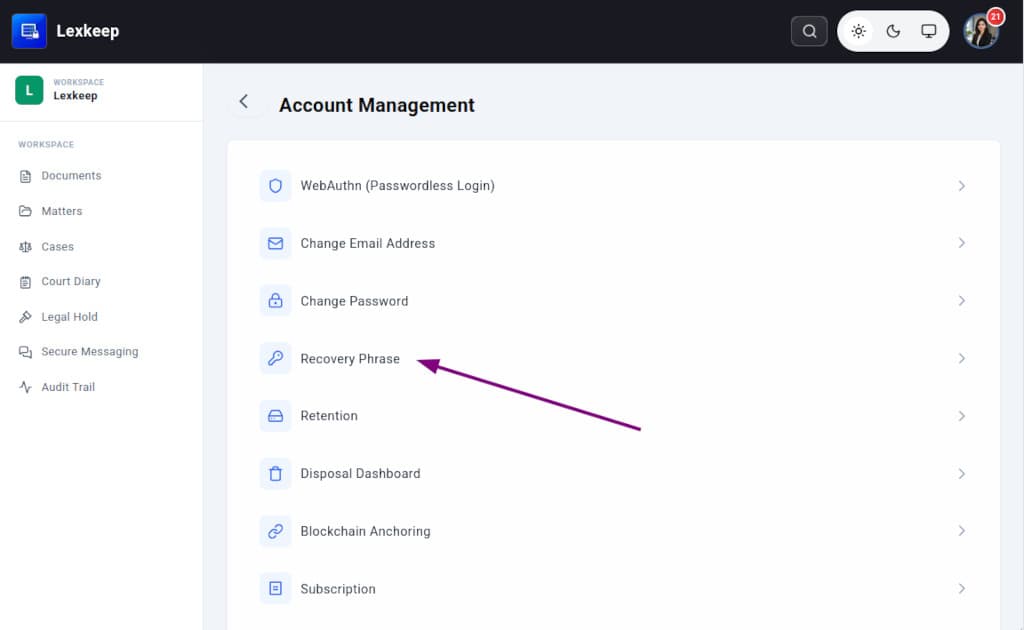
- Open Account Management from your account menu.
- Go to Recovery phrase.
- Follow the instructions to enable recovery.
- Download or record the recovery phrase when it is displayed.
- Store it securely in a location that only you can access.
The recovery phrase may not be displayed again after you leave the recovery setup screen. Make sure you have securely stored it before closing the page.
Protect your recovery phrase
Anyone who obtains your recovery phrase may be able to use it to help access your encrypted content after a password reset. Treat it as highly sensitive information.
- Do not share it with anyone.
- Do not store it in an unsecured document or screenshot.
- Do not send it by email or ordinary messaging.
- Consider storing it in a trusted password manager or another secure offline location.
- Keep a backup in a separate secure location if appropriate.
- Do not include it in support requests.
Lexkeep support should not need your recovery phrase.
If you lose your recovery phrase
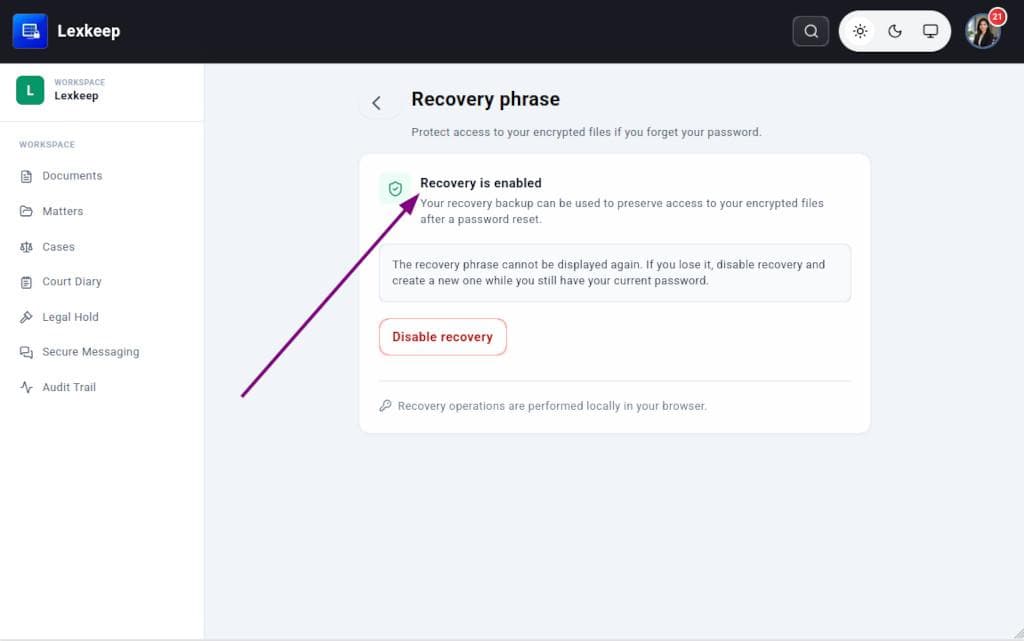
If recovery is enabled but you lose the phrase, you may be able to disable recovery and create a new phrase while you still know your current password.
If you no longer know your current password and do not have the recovery phrase, access to previously encrypted files and secure messages may not be recoverable.
Disable or replace recovery
The recovery settings are available from the Account Management settings page. If you still know your current password, you can manage recovery from that page, including disabling recovery and creating a new recovery phrase where the option is available.
After creating a new phrase, securely store the new phrase and destroy old copies.
Good practice
- Enable recovery before relying on E2EE for important files or communications.
- Store the recovery phrase securely as soon as it is created.
- Use a password manager or secure offline storage.
- Keep your account password and recovery phrase separate.
- Confirm that you know your current password before changing recovery settings.
- Remember that a password reset without a recovery method may affect access to existing encrypted content.