
Start a direct secure conversation
Published on:
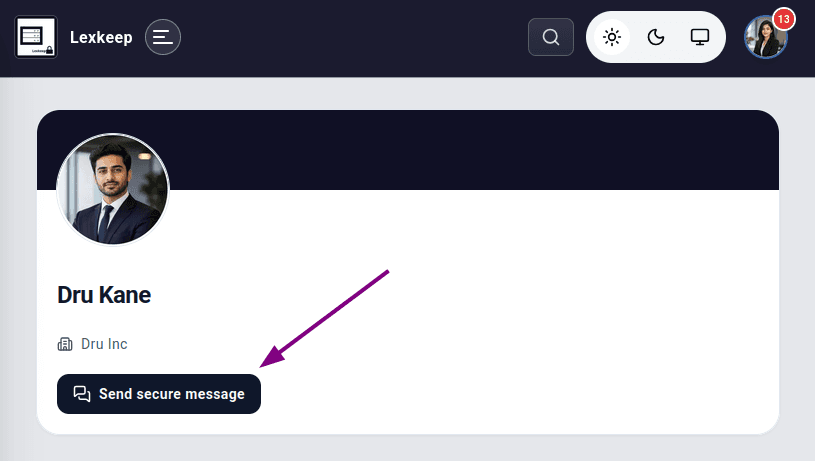
Lexkeep lets you start a secure, direct conversation with another user. You can begin a conversation from a cohort’s member list or from the person’s Lexkeep profile page.
Start a conversation with a cohort member
- From the left workspace menu, select Matters.
- Find and open the relevant cohort.
- Select Members.
- Find the member you want to contact.
- Select Send message on their member card.
- In the window that opens, review the recipient and, if needed, add a Conversation Label.
- Select Create Secure Chat.
Start a conversation from a user profile
Use this option when you have a link to the person’s Lexkeep profile or handle, whether or not they belong to one of your cohorts.
- Open the person’s Lexkeep profile page.
- Select Send secure message.
- Review the recipient and, if needed, add a Conversation Label.
- Select Create Secure Chat.
Conversation labels
Conversation labels are optional. Use a short, clear label that helps you recognise the conversation later.
If you leave the field blank, Lexkeep creates a title automatically.
For privacy, avoid including unnecessary confidential information in a conversation label.
Good practice
- Confirm that you have selected the intended recipient before creating a conversation.
- Use direct secure conversations for one-to-one communications.
- Keep matter-specific discussions in the relevant cohort conversation where appropriate.
- Use clear labels that do not reveal sensitive information.