
Legal Matter Management Best Practices
Published on:
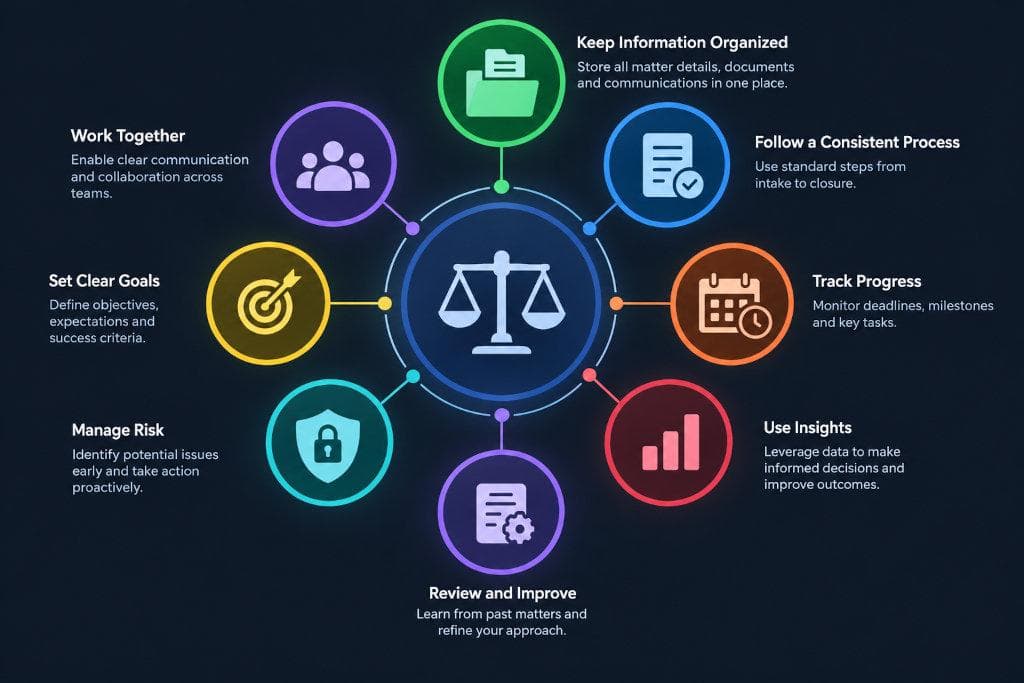
Effective legal matter management helps law firms and legal departments organise documents, control access, track deadlines, preserve evidence, and maintain a reliable record of work performed.
Without a structured system, important information can become scattered across email inboxes, shared drives, messaging apps, and personal devices. This increases the risk of missed deadlines, unauthorised access, duplicate files, and incomplete records.
The following best practices can help legal teams manage matters more securely and efficiently.
1. Create a Dedicated Workspace for Every Matter
Each matter should have its own secure workspace containing the documents, communications, records, participants, deadlines, and activity connected with that matter.
A dedicated workspace helps teams:
- keep related information together;
- prevent documents from being mixed with unrelated work;
- give authorised users a clear view of the matter;
- simplify collaboration and handover; and
- create a more complete activity history.
Matter workspaces can be used for litigation, investigations, transactions, advisory work, regulatory issues, compliance reviews, and internal business matters.
2. Use Consistent Matter Naming Conventions
A consistent naming system makes matters easier to search, identify, and manage.
A naming convention might include:
- client or organisation name;
- matter type;
- matter reference;
- relevant year; and
- status or department.
For example:
ABC Ltd – Contract Review – 2026 – Legal
Avoid vague names such as “New Matter,” “Client Documents,” or “Final Files.” Clear naming reduces confusion and makes it easier to locate the correct workspace.
3. Define Matter Roles and Responsibilities
Every matter should have clearly defined responsibilities. Depending on the work involved, participants may include:
- supervising lawyers;
- case or matter managers;
- paralegals;
- clients;
- internal business teams;
- external counsel;
- experts;
- investigators; and
- records or compliance personnel.
Assigning roles helps establish who may view, upload, edit, share, download, administer, or preserve records.
4. Apply Role-Based Access Controls
Not every participant needs access to every document. Matter management systems should allow permissions to be assigned according to a person’s role and relationship to the matter.
Access controls may include permissions to:
- view records;
- upload files;
- edit documents;
- share information;
- download records;
- invite participants;
- manage retention;
- apply legal holds; or
- administer the workspace.
Access should be reviewed whenever a person joins the matter, changes responsibilities, leaves the team, or no longer needs access.
5. Keep Documents and Communications Together
Important communications are often separated from the documents they relate to. Emails may remain in personal inboxes, while attachments are saved to unrelated folders.
A stronger approach is to connect relevant:
- emails;
- attachments;
- instructions;
- approvals;
- meeting notes;
- signed documents;
- correspondence; and
- internal messages
to the relevant matter workspace.
This creates a clearer history of how the matter developed and reduces reliance on individual inboxes.
6. Establish a Document Classification System
Legal teams should define how records will be classified and organised. Useful categories may include:
- pleadings and court documents;
- contracts and agreements;
- correspondence;
- evidence;
- legal research;
- expert materials;
- client instructions;
- internal work product;
- invoices and administrative records; and
- final or executed documents.
Classification makes information easier to find and supports the application of different permissions, retention periods, and preservation requirements.
7. Use Version Control
Legal documents frequently pass through multiple drafts, reviews, comments, and approvals. Version control helps teams identify the current document and understand its history.
A good version-control system should help users:
- distinguish drafts from final versions;
- identify who made changes;
- record when changes were made;
- preserve earlier versions;
- reduce duplicate files; and
- prevent people from working on outdated copies.
Important documents should not be overwritten without preserving an appropriate history of prior versions.
8. Track Deadlines and Milestones
Matter management should include a reliable system for recording important dates. These may include:
- court deadlines;
- limitation dates;
- filing dates;
- hearing dates;
- contract renewal dates;
- response deadlines;
- investigation milestones;
- approval dates; and
- client reporting dates.
Deadlines should have clear owners and, where appropriate, reminders and escalation procedures. A matter system should support—but not replace—the team’s professional responsibility to verify important dates.
9. Record Matter Activity
A useful matter-management system should maintain a clear record of important activity, including:
- file uploads;
- document access;
- sharing;
- downloads;
- edits;
- approvals;
- participant changes;
- communications;
- legal holds; and
- disposition decisions.
Audit logs help organisations understand how information was handled and can support internal reviews, investigations, compliance processes, and disputes concerning document management.
10. Protect Confidential and Privileged Information
Legal matters often involve confidential, commercially sensitive, or privileged information. Teams should identify sensitive records and apply stronger controls where necessary.
Practical measures may include:
- limiting access to essential participants;
- using encryption;
- restricting downloads;
- requiring secure authentication;
- controlling external sharing;
- monitoring access activity; and
- using end-to-end encryption for suitable workflows.
Security controls should be selected with regard to the nature of the matter, the sensitivity of the information, and the needs of authorised participants.
11. Use Secure External Collaboration
Clients, experts, co-counsel, investigators, and other external participants may need access to matter materials. Sending documents through unsecured attachments or uncontrolled links can increase risk.
Secure collaboration should allow teams to:
- invite specific participants;
- limit access to a particular matter;
- control what participants can do;
- revoke access when necessary;
- monitor activity; and
- preserve a record of sharing.
External users should not be given access to unrelated matters or broader organisational content.
12. Apply Legal Holds When Necessary
When litigation, an investigation, audit, regulatory review, or dispute is anticipated, potentially relevant records may need to be preserved.
A legal hold process should identify:
- the relevant matter;
- the reason for preservation;
- the records or information involved;
- the relevant custodians;
- the start date of the hold;
- any restrictions on deletion or alteration; and
- the person responsible for monitoring the hold.
Legal holds should be coordinated with retention and disposition processes so that relevant records are not deleted while preservation obligations remain active.
13. Manage Retention and Disposition
Not every record needs to be retained indefinitely. Excessive retention can increase storage costs, security exposure, and information-management burdens.
Matter teams should establish:
- applicable retention periods;
- record categories;
- retention start dates;
- review dates;
- approval requirements;
- legal-hold exceptions; and
- records of authorised disposition.
Records should not be disposed of merely because a matter appears inactive. The organisation should first consider applicable legal, regulatory, contractual, and operational requirements.
14. Preserve File Integrity
For records that may later be relied on in an investigation, audit, dispute, or proceeding, teams should preserve information about the file and its handling.
Technical controls may include:
- cryptographic hashing;
- file-integrity verification;
- timestamping;
- version history;
- access logs; and
- documented transfer activity.
A blockchain timestamp or file hash can help show whether a particular digital file has changed since a recorded point in time. It does not, by itself, prove that the contents are truthful, that a person created the file, or that the file is legally admissible.
15. Maintain an Organised Evidence Structure
Evidence should be stored in a way that makes its source, description, status, and handling easier to understand.
Useful evidence metadata may include:
- source or custodian;
- date and time received;
- file type;
- description;
- related issue;
- transfer history;
- hash or integrity reference;
- access restrictions; and
- associated expert or witness information.
This is particularly important for audio, video, emails, photographs, device extracts, logs, and other electronic evidence.
16. Create a Matter Closure Process
A matter should not simply be abandoned when active work ends. A closure process can help ensure that:
- final documents are identified;
- outstanding tasks are completed;
- access is reviewed;
- legal holds are assessed;
- retention periods are assigned;
- duplicate material is addressed;
- client or business records are returned or preserved; and
- the closure decision is documented.
A clear closure process makes future retrieval easier and supports consistent records management.
17. Review Access and Security Regularly
Matter access should be reviewed throughout the matter lifecycle. A periodic review can identify:
- former employees with continuing access;
- external users who no longer require access;
- excessive permissions;
- inactive accounts;
- shared links;
- unusual downloads; and
- records stored in the wrong workspace.
Access reviews are particularly important for long-running disputes, investigations, and matters involving multiple external participants.
18. Train Users on Matter Management
Technology cannot compensate for unclear procedures. Users should understand:
- where matter records must be stored;
- how documents should be named;
- when to apply a legal hold;
- how to share information securely;
- how to identify final versions;
- what information is confidential;
- how to report an incident; and
- when a matter should be closed.
Training should be practical and adapted to the roles of lawyers, support staff, clients, experts, and administrators.
19. Use a Centralised Matter Management Platform
A centralised platform can bring together:
- documents;
- emails;
- audio and video;
- messages;
- deadlines;
- participants;
- permissions;
- audit logs;
- retention controls; and
- legal holds.
This reduces dependence on scattered folders and personal inboxes while giving authorised users a more complete view of the matter.
How Lexkeep Supports Legal Matter Management
Lexkeep provides dedicated matter and case workspaces for organising documents, emails, audio, video, collaboration, and activity. Teams can assign granular permissions, preserve version history, maintain audit logs, apply legal holds, manage retention periods, and support controlled collaboration with clients and external participants.
For records requiring additional integrity controls, Lexkeep can generate cryptographic hashes and, where enabled, anchor them to the blockchain. This allows a later file to be compared with the recorded hash to help detect alteration.
Conclusion
Effective legal matter management is based on organisation, controlled access, reliable records, and consistent procedures. Legal teams should create dedicated workspaces, use version control, track deadlines, preserve relevant information, manage retention, and review access throughout the matter lifecycle.
The right matter-management platform can help turn scattered documents and communications into a structured, auditable, and secure record of the work performed.